Amateur radio
AMATEUR RADIO / FROM THE WORKSHOP
AutoResume for JTDX & WSJT-X.
A Windows helper for resuming CQ calling during supervised FT8 operation.
WINDOWS SOFTWARESOFTWARE PROJECT
FROM MY WORKSHOP NOTES
A small helper for FT8 sessions
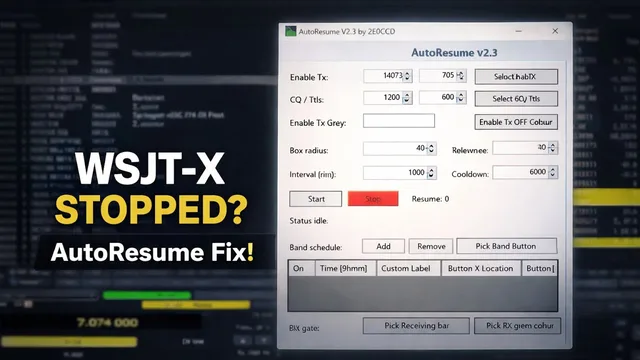
AutoResume is a Windows application that watches the on-screen Enable TX control. If it detects that transmitting has switched off, it clicks the configured CQ/TX6 control and re-enables TX.
The original project is called JTDX AutoResume. The videos also demonstrate it with WSJT-X. It works through the screen controls you configure, so check the setup for the application and layout you are using.
Set up the screen controls
Download the Windows 64-bit application and open it. The original package is a self-contained executable and does not require a separate installer.
Use its setup controls to identify Enable TX, CQ/TX6 and the TX-OFF colour on your screen. Keep the radio application visible in the position you configured.
Sampling interval, colour tolerance and detection area are adjustable. The status view shows the detected grey/red percentages, a resume counter and the last resume time. Check those readings while supervising a trial session, and repeat the setup if you move the controls or change their appearance.
For supervised operation. Stay present and responsible for your station. AutoResume can re-enable transmitting; check the configured controls and monitor its operation throughout the session.
FILES FROM THE PROJECT
AutoResume for Windows
The original Windows 64-bit executable, preserved from the project page. No separate installer is required.
Download AutoResume170.1 MBFile details & checksum
AutoResume.exe · 178,393,358 bytes
SHA-256
fd48f8f5cf065cf75ad87b55f499babc8e823db463d158e07b060f88bf6965faAT THE BENCH, ON FILM
See it in use.
Choose a preview to watch here, or follow its title to YouTube.
Amateur radio
JTDX FT8 Stopped Again? A Full Auto Resume Tool That Recovers It
JTDX Auto Resume – FT8 HelperNo videos found.
Try a different title, subject or series.